Mastering the Nature Editable Text Effect for Professional Design Workflows
In the fast-paced world of digital design, the gap between a rough concept and a polished final asset often comes down to efficiency. Designers, marketers, and content creators are constantly balancing the need for high-quality visuals with tight deadlines. This is where specialized resources like the Nature Editable Text Effect become invaluable. Rather than spending hours manually painting textures, adjusting layer styles, or hunting for the perfect brush settings, this tool offers a streamlined pathway to achieving complex, organic typography. It represents a shift from labor-intensive creation to smart curation and adaptation, allowing professionals to focus on the broader creative strategy rather than getting bogged down in technical execution.
The core value of this resource lies in its integration into existing workflows. Whether you are a freelancer building a brand identity, a small business owner creating social media assets, or an educator designing engaging course materials, the ability to apply a high-quality effect style quickly is a significant productivity booster. The Nature Editable Text Effect is not just a static image; it is a dynamic component designed to fit seamlessly into projects ranging from website elements and wallpapers to large-scale promotional banners. By understanding how to leverage this tool effectively, you can elevate the visual consistency and professional appeal of your output without requiring advanced mastery of every Photoshop technique.
Integrating Smart Objects into Your Creative Process
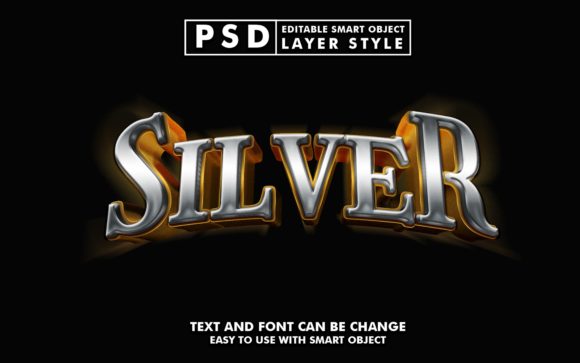
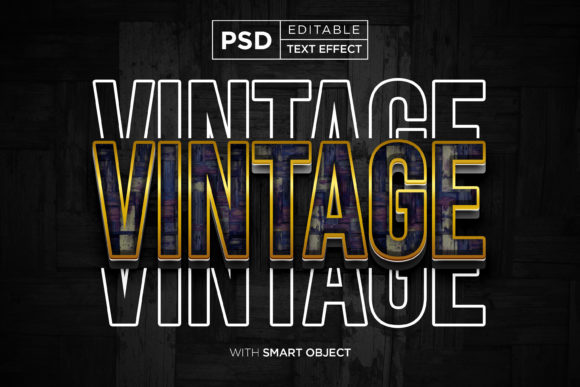
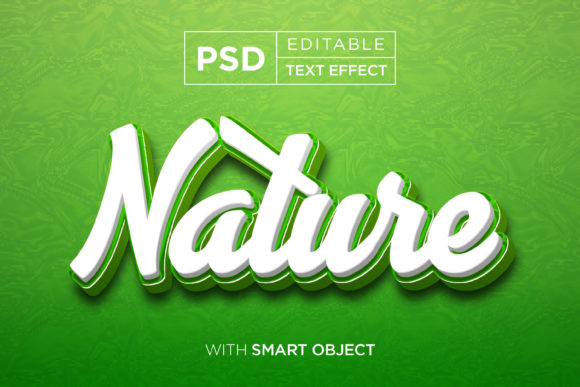
At the heart of this graphic resource is the use of Smart Objects. For those unfamiliar with the term, a Smart Object is a container in Adobe Photoshop that preserves an image's source content with all its original characteristics. In the context of the Nature Editable Text Effect, this technology is what makes the file "editable." Instead of rasterizing text and losing the ability to change it later, the effect is applied non-destructively. This means you can swap out the text, shapes, or vector logos at any stage of the project without degrading the quality of the texture or lighting effects.
Implementing this into your workflow is straightforward but requires a disciplined approach to file organization. When you download the package, you receive a well-organized PSD file. The first step in your process should be to inspect the layer structure. A high-quality resource like this typically features clearly named layers and grouped folders, which is crucial for maintaining efficiency. Before you begin editing, take a moment to understand the hierarchy. Identify the specific Smart Object layer designated for replacement. This preparation phase ensures that you don't accidentally alter critical adjustment layers or masking elements that define the "nature" aesthetic—be it mossy textures, leafy overlays, or earthy tones.
Once you have located the correct Smart Object, the execution is simple: double-click the layer thumbnail, paste your new text or logo, save the file, and watch the main document update instantly. This immediacy allows for rapid iteration. If you are working on a movie title sequence or a cartoon title card, you can test five different font choices in the time it would normally take to render one. This iterative capability is essential for decision-making. It allows stakeholders to see real-time variations, facilitating faster approvals and reducing the back-and-forth that often stalls creative projects.
Strategic Applications Across Different Media
The versatility of the Nature Editable Text Effect extends far beyond simple headline creation. Its application depends largely on the medium and the audience you are trying to reach. For digital marketing, such as Facebook covers, YouTube banners, and Twitter headers, the organic feel of nature-themed typography can evoke trust, sustainability, and growth. These platforms require eye-catching visuals that communicate a brand's ethos within seconds. Using a pre-built effect ensures that your cover art looks professional and cohesive with your overall branding strategy, even if you are not a full-time graphic designer.
In the realm of print and merchandise, the high resolution of the file (3000x2000 pixels) is a critical factor. This resolution supports DPI requirements for physical products like T-shirt designs, clothing labels, flyers, and posters. When preparing assets for print, consistency is key. You can use the same nature effect across a entire campaign—from a greeting card to a large placard—ensuring that the texture and lighting remain uniform. This consistency reinforces brand recognition. For example, an eco-friendly product line could use this specific text style on their packaging, website, and in-store signage, creating a unified visual language that resonates with environmentally conscious consumers.
Furthermore, this tool is highly effective for presentations and corporate communications. Logo presentations often require a dramatic reveal or a textured backdrop to stand out in a pitch deck. By applying the nature effect to a company logo, you can instantly contextualize the brand within a natural framework, suggesting stability and organic growth. Similarly, educators and publishers can use these effects to create engaging illustrations and chapter headers that break up dense text, making learning materials more visually appealing and easier to digest.
Quality Control and Technical Considerations
While the ease of use is a major selling point, maintaining quality control is essential when using pre-made effects. The "Nature" aspect of the text effect implies a specific lighting direction, shadow density, and texture scale. When replacing the default text with your own, you must consider how the length and weight of your new characters interact with these elements. Long sentences may compress the texture, making it look muddy, while very thin fonts might not hold the detail of the 3d typography effect effectively.
To mitigate this, always preview your edits at 100% zoom. Check the edges of your text to ensure the smart object masking hasn't cut off any intricate details of the nature texture. If your logo or text is significantly different in proportion from the original placeholder, you may need to make minor adjustments to the underlying layer styles, such as scaling the pattern overlay or tweaking the drop shadow distance. This level of attention to detail separates amateur usage from professional implementation.
Compatibility is another factor to consider. Ensure your version of Photoshop supports the features used in the PSD file. Most modern versions handle Smart Objects effortlessly, but older software might struggle with specific blending modes or filter effects embedded in the template. Additionally, while the file comes with one PSD and one image file, it is good practice to save your working versions separately. Never overwrite the original template; instead, use "Save As" to create a project-specific copy. This preserves the master file for future use, ensuring you always have a clean slate for the next job.
Maximizing Efficiency in Long-Term Workflows
Adopting tools like the Nature Editable Text Effect is not just about saving time on a single task; it is about building a sustainable library of assets that accelerate future work. Over time, you will develop a sense of which projects benefit most from this specific aesthetic. You might find that it works exceptionally well for summer campaigns, outdoor event promotions, or health and wellness branding. By categorizing this resource in your digital asset management system alongside other complementary tools, you create a personal toolkit that allows you to pivot quickly between different creative demands.
Moreover, the organizational structure of the file itself serves as a learning opportunity. By examining how the layers are constructed—the clipping masks, the adjustment layers, the blend modes—you gain insight into how professional effects are built. This knowledge can inform your own custom designs later, helping you understand how to light a scene or texture a surface manually if the need arises. It bridges the gap between using templates and creating original art, fostering a deeper understanding of digital composition.
Ultimately, the goal is to integrate this resource so smoothly that it becomes an invisible part of your process. You shouldn't be fighting the tool; it should be empowering your vision. Whether you are designing a flyer for a local event, crafting a YouTube thumbnail to increase click-through rates, or developing a comprehensive brand identity, the Nature Editable Text Effect provides a reliable foundation. It handles the heavy lifting of texture and depth, leaving you free to refine the message, optimize the layout, and ensure the final deliverable meets the highest standards of quality. In a competitive landscape, the ability to produce high-fidelity visuals rapidly is a distinct advantage, and leveraging smart, editable resources is the strategic way to achieve it.