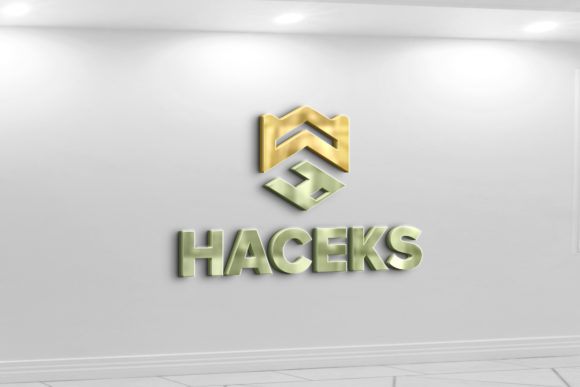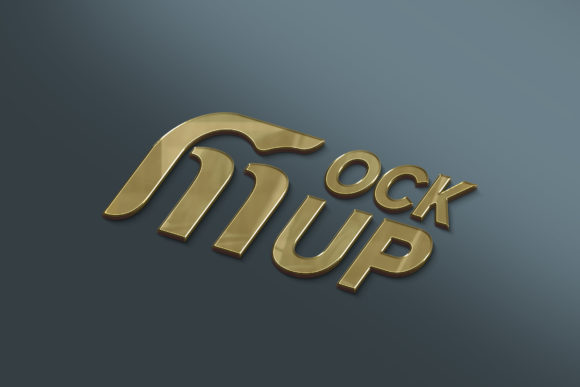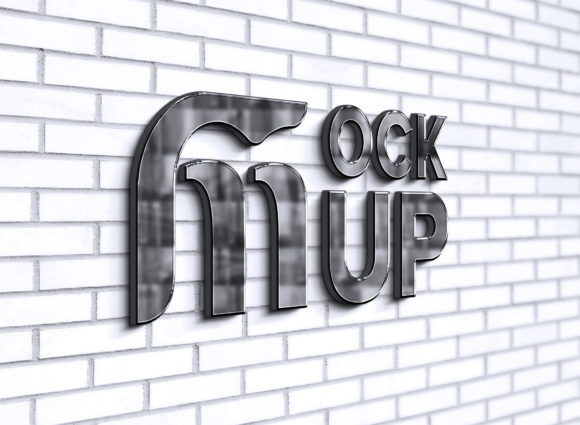
Elevate Your Brand Identity with a Black Chrome 3d Logo Mockup
There is a specific moment in every branding project where the design moves from being a flat concept on a screen to something that feels tangible and real. For designers, marketers, and business owners, that transition often happens when they apply their logo to a high-quality mockup. A Black Chrome 3d Logo Mockup offers a sleek, modern aesthetic that instantly communicates sophistication and durability. Unlike standard flat presentations, this type of mockup simulates how light interacts with a metallic surface, adding depth and realism that can make a significant difference in how clients or customers perceive a brand.
When you download a pack like this, you aren't just getting a pretty image; you are getting a tool designed for efficiency. The core functionality relies on Smart Object Replacement. This means you do not need to be a Photoshop expert to achieve professional results. You simply open the PSD file, locate the smart object layer, paste your own logo or text, and save. The software automatically handles the complex work of wrapping your design around the 3D shape, applying the correct shadows, highlights, and reflections to match the black chrome environment. It creates an illusion of reality that would take hours to render manually.
Why Realism Matters in Digital Presentations
In a digital-first world, everything we see is technically flat. However, human psychology responds better to objects that mimic physical properties. When a potential client sees a logo floating in white space, it remains an abstract idea. When they see that same logo embossed on a dark, reflective metallic surface, it becomes a product. The Black Chrome 3d Logo Mockup leverages this by providing high-quality 3D realistic textures that are ready to use immediately.
The "black chrome" finish specifically taps into a trend of luxury and industrial strength. It suggests that a brand is solid, established, and premium. This is particularly useful for tech startups, automotive brands, high-end fashion labels, or gaming communities where a dark, edgy, or futuristic vibe is essential. Using a mockup with 3600 x 2640 pixels at 300 DPI ensures that whether you are presenting on a retina display or printing a portfolio piece, the image remains crisp and detailed.
Practical Use Cases Across Different Industries
The versatility of this tool extends far beyond simple logo reveals. Different professionals can leverage these files in unique ways to solve specific problems in their workflow.
- Freelance Designers: If you are pitching a rebrand to a client, sending a flat JPEG often fails to capture the vision. By placing their new logo into a black chrome setting, you help them visualize the end result on signage, app icons, or merchandise. It bridges the gap between imagination and reality, often speeding up the approval process.
- Small Business Owners: Many entrepreneurs handle their own marketing. With a very easy to edit file, a bakery owner launching a new line of premium chocolates or a gym owner updating their apparel can create social media assets that look like they were shot by a professional photography studio, all without leaving their desk.
- Social Media Managers: Engagement drops when feeds look generic. Using a consistent mockup style, such as the sleek dark metal look, creates a cohesive visual identity for a brand's Instagram or LinkedIn presence. It makes promotional posts stand out against the noise of user-generated content.
- Educators and Students: In design courses, students often struggle with lighting and rendering. Using a pre-made, fully layered mockup allows them to focus on typography and composition while still presenting their work in a professional context for their final portfolios.
The Technical Advantage of Smart Objects
The magic behind these mockups lies in the organization. A well-structured pack includes folders that keep everything tidy. When you open the file, you will find that it is 100% editable. The layers are not flattened; they are separated logically. This means if you need to adjust the background color slightly or tweak the intensity of the reflection, you have the control to do so.
However, for most users, the default settings are perfect. The automatic shadow and lighting calculation is the biggest time-saver. In traditional 3D modeling, getting a reflection to look natural on a curved chrome surface requires advanced knowledge of ray tracing and material properties. Here, that complexity is hidden behind a simple double-click. You replace your logo, and the mockup does the heavy lifting, ensuring your design looks like it physically exists in that space.
What to Consider Before You Download
While these tools are powerful, choosing the right one requires a bit of forethought. First, consider the brand personality you are trying to convey. A black chrome finish is bold and dramatic. It works exceptionally well for industries like cybersecurity, luxury automobiles, night-life entertainment, or high-performance sports gear. However, if you are branding a children's daycare or an organic wellness blog, this dark, metallic aesthetic might feel too aggressive or cold. Always match the mockup style to the emotional tone of the brand.
Secondly, check the resolution requirements of your intended platform. While this pack offers a generous 3600 x 2640 pixels at 300 DPI, which covers almost all print and web needs, ensure your source logo is also high quality. Placing a low-resolution, pixelated logo into a high-definition 3D mockup will only highlight the flaws in the original design. The mockup enhances good design; it cannot fix bad source files.
Finally, think about variety. Having just one angle is sometimes limiting. While this specific pack focuses on a singular, high-impact view, building a library of different mockups (matte, glossy, wood, metal) allows you to test how a logo performs in various environments. This particular Black Chrome 3d Logo Mockup serves as a standout piece in that library, ideal for hero images, website headers, or main portfolio thumbnails.
Maximizing the Value of Your Assets
Once you have the file, the possibilities for customization are endless. Because the layers are well-organized, you can experiment with blending modes or add additional overlay textures to further customize the look. Perhaps you want to add a subtle dust texture to make it look more grounded, or increase the contrast to make the chrome pop even more against a dark background.
For those who sell digital products or templates, including a rendered image from this mockup in your sales listing can drastically increase conversion rates. Customers buy with their eyes. Showing them exactly how their purchase will look in a real-world scenario reduces uncertainty and builds trust. It transforms a digital file into a tangible asset in the customer's mind.
Ultimately, tools like this democratize high-end presentation. They level the playing field, allowing a solo freelancer to present work with the same polish as a large agency. The key is to use them strategically. Don't just slap a logo on because it looks cool; use the realistic shadows and lighting to tell a story about the brand's quality and attention to detail. When used correctly, a black chrome mockup doesn't just show a logo; it sells a vision.
If you find value in how these resources streamline your workflow and elevate your output, taking a moment to rate the product helps other creators find reliable tools. High-quality assets save time and reduce frustration, allowing you to focus on what really matters: creating great design.